Section header
콘텐츠 영역이나 특정 섹션의 시작을 명확하게 알려주는 제목 요소입니다. 섹션의 주제를 설명하고 추가 정보나 관련 페이지로 이동할 수 있는 링크를 함께 제공하여 탐색을 쉽게 할 수 있도록 돕습니다.
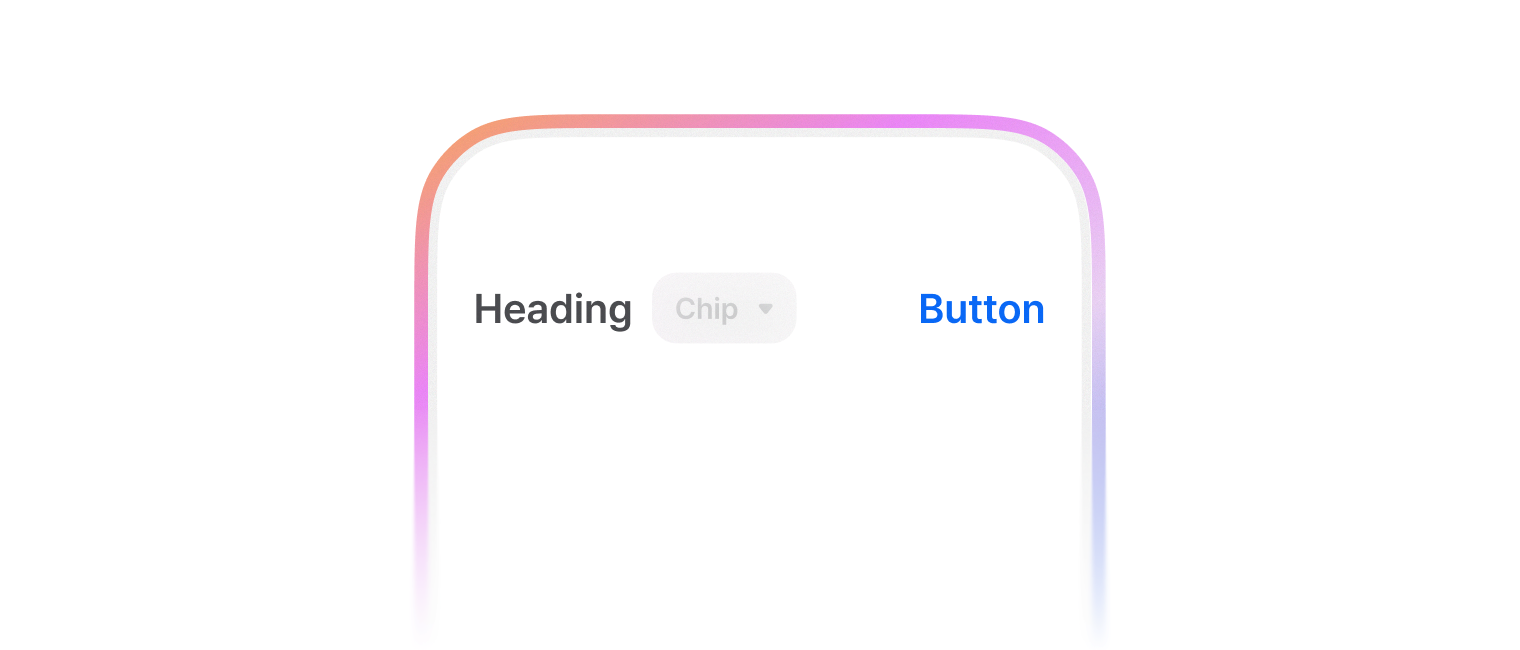
SectionHeader는 콘텐츠를 논리적으로 구분하는 섹션 제목을 표시하며, 선택적으로 추가 액션이나 정보를 제공할 수 있습니다.
init(title: String)
섹션 헤더를 초기화합니다.
-
Parameters
var body: some View
뷰의 내용과 동작을 정의합니다.
func headingContent<V>(() -> V) -> SectionHeader
헤더 타이틀 옆에 추가 콘텐츠를 표시합니다.
-
Parameters
-
Return Value
수정된 SectionHeader 인스턴스
-
Discussion
타이틀 텍스트 바로 옆(오른쪽)에 추가 콘텐츠나 뱃지를 표시할 때 사용합니다.
func size(Size) -> SectionHeader
섹션 헤더의 크기를 설정합니다.
-
Parameters
-
Return Value
수정된 SectionHeader 인스턴스
-
Discussion
크기에 따라 폰트 크기와 높이가 자동으로 조정됩니다.
xsmall크기를 선택하면 타이틀 색상이.foregroundNeutralTertiary로 변경됩니다.
func titleColor(SwiftUI.Color) -> SectionHeader
타이틀 텍스트의 색상을 설정합니다.
-
Parameters
-
Return Value
수정된 SectionHeader 인스턴스
func trailingContent<V>(() -> V) -> SectionHeader
헤더의 오른쪽에 추가적인 콘텐츠를 표시합니다.
-
Parameters
-
Return Value
수정된 SectionHeader 인스턴스
-
Discussion
더보기 버튼이나 필터 등의 추가 기능을 제공할 때 사용합니다.
enum Size
섹션 헤더의 크기를 정의하는 열거형입니다.
-
Overview
콘텐츠의 중요도나 시각적 계층 구조에 따라 4가지 크기 옵션을 제공합니다. 각 크기는 서로 다른 폰트 크기와 높이를 가지며, 콘텐츠 구조에 맞게 선택할 수 있습니다.
case large
큰 크기
case medium
중간 크기
case small
작은 크기
case xsmall
가장 작은 크기
Conforms To
Swift.Sendable
SwiftUICore.View