Form control
입력 필드에 Label과 Message를 붙여 무엇을 입력해야 하는지 안내하는 컴포넌트입니다. Text field, Text area, Select와 같은 입력 필드를 감싸서 사용하며, 접근성 연결을 처리합니다.
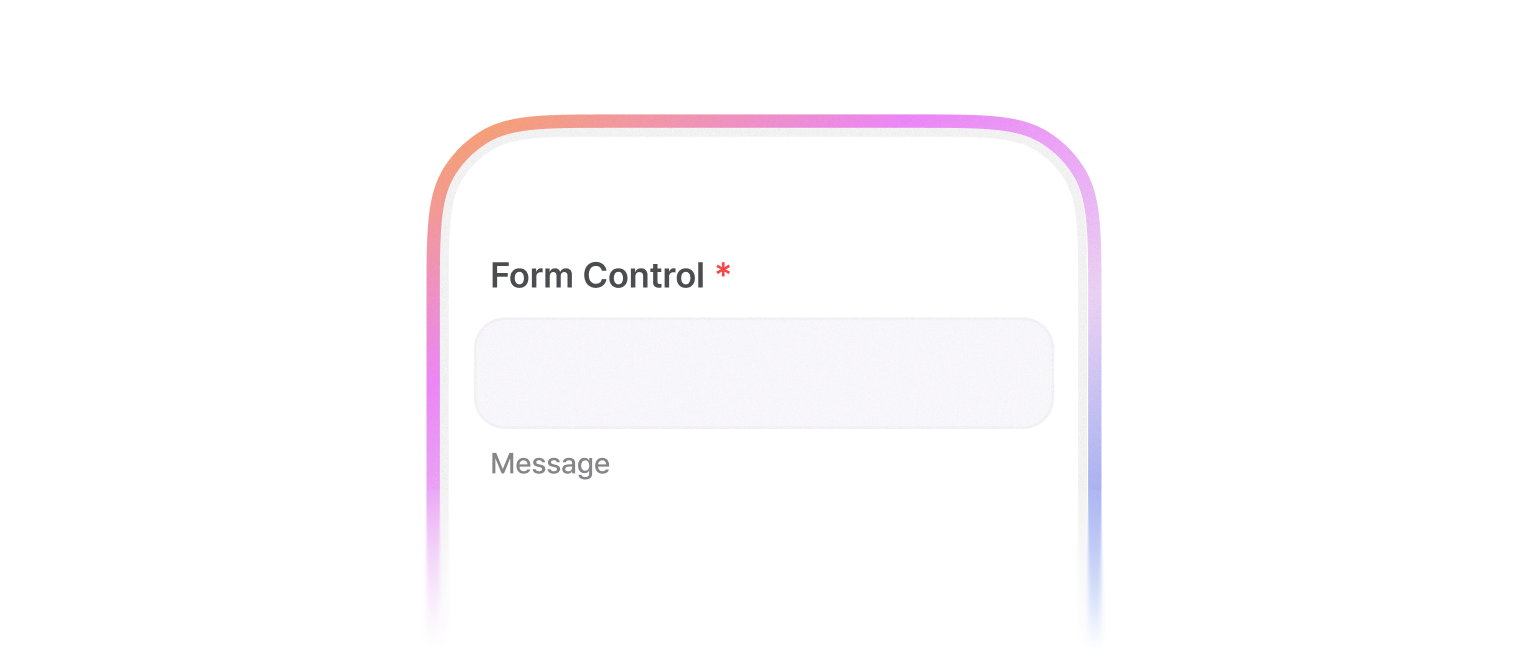
form 구조 및 접근성 처리를 다룹니다.
각 컴포넌트별 활용법은 TextField, TextArea, Checkbox, Radio 등을 참고해주세요.
이 문서는 react-hook-form과 함께 활용하는 예시를 소개합니다.
import { Button, FlexBox, TextField, FormControl, FormControlField, FormControlLabel, FormControlMessage, FormControlNegativeMessage } from '@montage-ui/core';
import { useForm, Controller } from 'react-hook-form';

const Demo = () => {
  const form = useForm({
    defaultValues: {
      content: ''
    }
  });

  return (
    <FlexBox as="form" flexDirection="column" gap="12px" onSubmit={form.handleSubmit(v => alert(JSON.stringify(v)))}>
      <Controller
        control={form.control}
        name="content"
        rules={{
          required: {
            value: true,
            message: '필수 값입니다.'
          }
        }}
        render={({ field, formState }) => (
          <FormControl>
            <FormControlLabel required>라벨</FormControlLabel>

            <FormControlField>
              <TextField {...field} width="25ch" placeholder="값을 입력하세요." status={Boolean(formState.errors.content) ? 'negative' : 'normal'} />
            </FormControlField>

            {Boolean(formState.errors.content) ? (
              <FormControlNegativeMessage>
                {formState.errors.content?.message}
              </FormControlNegativeMessage>
            ) : (
             <FormControlMessage>값을 입력해주세요.</FormControlMessage>
            )}
          </FormControl>
        )}
      />

      <Button type="submit">제출</Button>
    </FlexBox>
  )
}

export default Demo;FormControl 컴포넌트는 아래와 같은 구조를 가집니다.
labelPlacement 를 조절하여 라벨의 위치를 조절할 수 있습니다.
- top (default)
- leading
import { Button, FlexBox, TextField, FormControl, FormControlField, FormControlLabel, FormControlMessage, FormControlNegativeMessage, FormControlMessageAccessory } from '@montage-ui/core';
import { useForm, Controller } from 'react-hook-form';

const Demo = () => {
  const form = useForm({
    defaultValues: {
      top: '',
      leading: ''
    }
  });

  return (
    <FlexBox as="form" flexDirection="column" gap="12px" onSubmit={form.handleSubmit(v => alert(JSON.stringify(v)))}>
      <Controller
        control={form.control}
        name="top"
        rules={{
          required: {
            value: true,
            message: '필수 값입니다.'
          }
        }}
        render={({ field, formState }) => (
          <FormControl>
            <FormControlLabel required>라벨</FormControlLabel>

            <FormControlField>
              <TextField {...field} width="25ch" placeholder="값을 입력하세요." status={Boolean(formState.errors.top) ? 'negative' : 'normal'} />
            </FormControlField>

            {Boolean(formState.errors.top) ? (
              <FormControlNegativeMessage>
                {formState.errors.top?.message}
              </FormControlNegativeMessage>
            ) : (
             <FormControlMessage>값을 입력해주세요.</FormControlMessage>
            )}
          </FormControl>
        )}
      />

      <Controller
        control={form.control}
        name="leading"
        rules={{
          required: {
            value: true,
            message: '필수 값입니다.'
          }
        }}
        render={({ field, formState }) => (
          <FormControl labelPlacement="leading">
            <FormControlLabel required>라벨</FormControlLabel>

            <FormControlField>
              <TextField {...field} width="25ch" placeholder="값을 입력하세요." status={Boolean(formState.errors.leading) ? 'negative' : 'normal'} />
            </FormControlField>

            {Boolean(formState.errors.leading) ? (
              <FormControlNegativeMessage>
                {formState.errors.leading?.message}
              </FormControlNegativeMessage>
            ) : (
             <FormControlMessage>값을 입력해주세요.</FormControlMessage>
            )}
          </FormControl>
        )}
      />

      <Button type="submit">제출</Button>
    </FlexBox>
  )
}

export default Demo;FormControlGroup 은 여러 개의 FormControl 을 나열해서 사용할 때 활용하는 컴포넌트입니다.
주로 labelPlacement="leading" 을 사용할 때 유용합니다.
leading 라벨은 기본적으로 라벨 텍스트 길이만큼 폭을 차지하기 때문에, 여러 FormControl 을 나열하면 라벨과 필드의 시작 위치가 제각각 달라집니다.
이때 FormControlGroup 의 labelWidth 를 조정하면 하위 FormControl 들의 라벨 영역 폭을 통일성 있게 맞출 수 있습니다.
각
FormControl이 독립적인 grid이기 때문에max-content같은 콘텐츠 기반 값은 컨트롤마다 다르게 계산될 수 있습니다. 라벨 폭을 통일하려면120px처럼 고정된 값을 사용하세요.
import { Button, TextField, FormControlGroup, FormControl, FormControlField, FormControlLabel, FormControlMessage, FormControlNegativeMessage } from '@montage-ui/core';
import { useForm, Controller } from 'react-hook-form';

const Demo = () => {
  const form = useForm({
    defaultValues: {
      name: '',
      email: '',
      phone: ''
    }
  });

  const fields = [
    { name: 'name', label: '이름' },
    { name: 'email', label: '이메일 주소' },
    { name: 'phone', label: '휴대폰 번호' }
  ];

  return (
    <FormControlGroup as="form" flexDirection="column" labelWidth="120px" onSubmit={form.handleSubmit(v => alert(JSON.stringify(v)))}>
      {fields.map(({ name, label }) => (
        <Controller
          key={name}
          control={form.control}
          name={name}
          rules={{
            required: {
              value: true,
              message: '필수 값입니다.'
            }
          }}
          render={({ field, formState }) => (
            <FormControl labelPlacement="leading">
              <FormControlLabel required>{label}</FormControlLabel>

              <FormControlField>
                <TextField {...field} width="25ch" placeholder="값을 입력하세요." status={Boolean(formState.errors[name]) ? 'negative' : 'normal'} />
              </FormControlField>

              {Boolean(formState.errors[name]) ? (
                <FormControlNegativeMessage>
                  {formState.errors[name]?.message}
                </FormControlNegativeMessage>
              ) : (
               <FormControlMessage>값을 입력해주세요.</FormControlMessage>
              )}
            </FormControl>
          )}
        />
      ))}

      <Button type="submit">제출</Button>
    </FormControlGroup>
  )
}

export default Demo;2가지 크기를 사용할 수 있습니다.
TextField, DatePicker, DateRangePicker, TimePicker의 크기가 자동으로 전파됩니다.
import { Button, FlexBox, TextField, FormControl, FormControlField, FormControlLabel, FormControlMessage, FormControlNegativeMessage, FormControlMessageAccessory } from '@montage-ui/core';
import { useForm, Controller } from 'react-hook-form';

const Demo = () => {
  const form = useForm({
    defaultValues: {
      top: '',
      leading: ''
    }
  });

  return (
    <FlexBox as="form" flexDirection="column" gap="12px" onSubmit={form.handleSubmit(v => alert(JSON.stringify(v)))}>
      <Controller
        control={form.control}
        name="top"
        rules={{
          required: {
            value: true,
            message: '필수 값입니다.'
          }
        }}
        render={({ field, formState }) => (
          <FormControl size="medium">
            <FormControlLabel required>라벨</FormControlLabel>

            <FormControlField>
              <TextField {...field} width="25ch" placeholder="값을 입력하세요." status={Boolean(formState.errors.top) ? 'negative' : 'normal'} />
            </FormControlField>

            {Boolean(formState.errors.top) ? (
              <FormControlNegativeMessage>
                {formState.errors.top?.message}
              </FormControlNegativeMessage>
            ) : (
             <FormControlMessage>값을 입력해주세요.</FormControlMessage>
            )}
          </FormControl>
        )}
      />

      <Controller
        control={form.control}
        name="leading"
        rules={{
          required: {
            value: true,
            message: '필수 값입니다.'
          }
        }}
        render={({ field, formState }) => (
          <FormControl labelPlacement="leading" size="medium">
            <FormControlLabel required>라벨</FormControlLabel>

            <FormControlField>
              <TextField {...field} width="25ch" placeholder="값을 입력하세요." status={Boolean(formState.errors.leading) ? 'negative' : 'normal'} />
            </FormControlField>

            {Boolean(formState.errors.leading) ? (
              <FormControlNegativeMessage>
                {formState.errors.leading?.message}
              </FormControlNegativeMessage>
            ) : (
             <FormControlMessage>값을 입력해주세요.</FormControlMessage>
            )}
          </FormControl>
        )}
      />

      <Button type="submit">제출</Button>
    </FlexBox>
  )
}

export default Demo;import { Button, FlexBox, TextField, FormControl, FormControlField, FormControlLabel, FormControlMessage, FormControlNegativeMessage, FormControlMessageAccessory } from '@montage-ui/core';
import { useForm, Controller } from 'react-hook-form';
const Demo = () => {
const form = useForm({
defaultValues: {
top: '',
leading: ''
}
});
return (
<FlexBox as="form" flexDirection="column" gap="12px" onSubmit={form.handleSubmit(v => alert(JSON.stringify(v)))}>
<Controller
control={form.control}
name="top"
rules={{
required: {
value: true,
message: '필수 값입니다.'
}
}}
render={({ field, formState }) => (
<FormControl size="large">
<FormControlLabel required>라벨</FormControlLabel>
<FormControlField>
<TextField {...field} width="25ch" placeholder="값을 입력하세요." status={Boolean(formState.errors.top) ? 'negative' : 'normal'} />
</FormControlField>
{Boolean(formState.errors.top) ? (
<FormControlNegativeMessage>
{formState.errors.top?.message}
</FormControlNegativeMessage>
) : (
<FormControlMessage>값을 입력해주세요.</FormControlMessage>
)}
</FormControl>
)}
/>
<Controller
control={form.control}
name="leading"
rules={{
required: {
value: true,
message: '필수 값입니다.'
}
}}
render={({ field, formState }) => (
<FormControl labelPlacement="leading" size="large">
<FormControlLabel required>라벨</FormControlLabel>
<FormControlField>
<TextField {...field} width="25ch" placeholder="값을 입력하세요." status={Boolean(formState.errors.leading) ? 'negative' : 'normal'} />
</FormControlField>
{Boolean(formState.errors.leading) ? (
<FormControlNegativeMessage>
{formState.errors.leading?.message}
</FormControlNegativeMessage>
) : (
<FormControlMessage>값을 입력해주세요.</FormControlMessage>
)}
</FormControl>
)}
/>
<Button type="submit">제출</Button>
</FlexBox>
)
}
export default Demo;Message 종류 컴포넌트에 FormControlMessageAccessory 를 사용하여 accessory를 추가할 수 있습니다.
character-counter(default)custom
import { Button, FlexBox, TextField, FormControl, FormControlField, FormControlLabel, FormControlMessage, FormControlNegativeMessage, FormControlMessageAccessory } from '@montage-ui/core';
import { useForm, Controller } from 'react-hook-form';

const Demo = () => {
  const form = useForm({
    defaultValues: {
      content: ''
    }
  });

  return (
    <FlexBox as="form" flexDirection="column" gap="12px" onSubmit={form.handleSubmit(v => alert(JSON.stringify(v)))}>
      <Controller
        control={form.control}
        name="content"
        rules={{
          required: {
           value: true,
           message: '필수 값입니다.'
          },
          maxLength: {
            value: 20,
            message: '최대 입력가능 글자를 초과했습니다.'
          }
        }}
        render={({ field, formState }) => (
          <FormControl>
            <FormControlLabel required>라벨</FormControlLabel>

            <FormControlField>
              <TextField {...field} width="25ch" placeholder="값을 입력하세요." status={Boolean(formState.errors.content) ? 'negative' : 'normal'} />
            </FormControlField>

            {Boolean(formState.errors.content) ? (
              <FormControlNegativeMessage accessory={<FormControlMessageAccessory length={field.value.length} maxLength={20} />}>
                {formState.errors.content?.message}
              </FormControlNegativeMessage>
            ) : (
             <FormControlMessage accessory={<FormControlMessageAccessory length={field.value.length} maxLength={20} />}>값을 입력해주세요.</FormControlMessage>
            )}
          </FormControl>
        )}
      />

      <Button type="submit">제출</Button>
    </FlexBox>
  )
}

export default Demo;form.reset() 이 동작하지 않는 경우가 있습니다.
이 경우 defaultValue 가 설정되어 있는지 확인하세요.
react-hook-form 은 undefined value를 지원하지 않습니다.
- Unique id를 생성하여 label의 htmlFor, input의 id를 연결합니다.
- aria-describedby, aria-labelledby를 통해 추가 메시지를 연결합니다.
children으로 form 요소 컴포넌트를 넣어 사용합니다.